
...
The Lesson Builder is a mode of Notebook Intelligence, the AI SI assistant in your workspace (see Notebook Intelligence and your LLMs). You give it a topic, or a link to a document, and it writes a short course for you as Jupyter notebooks, saved in your files. You learn by running the cells and doing the exercises.
...
Open the Notebook Intelligence panel and type /lesson, then say what you want to learn. You can paste a link to the document you want the lesson to be based on.
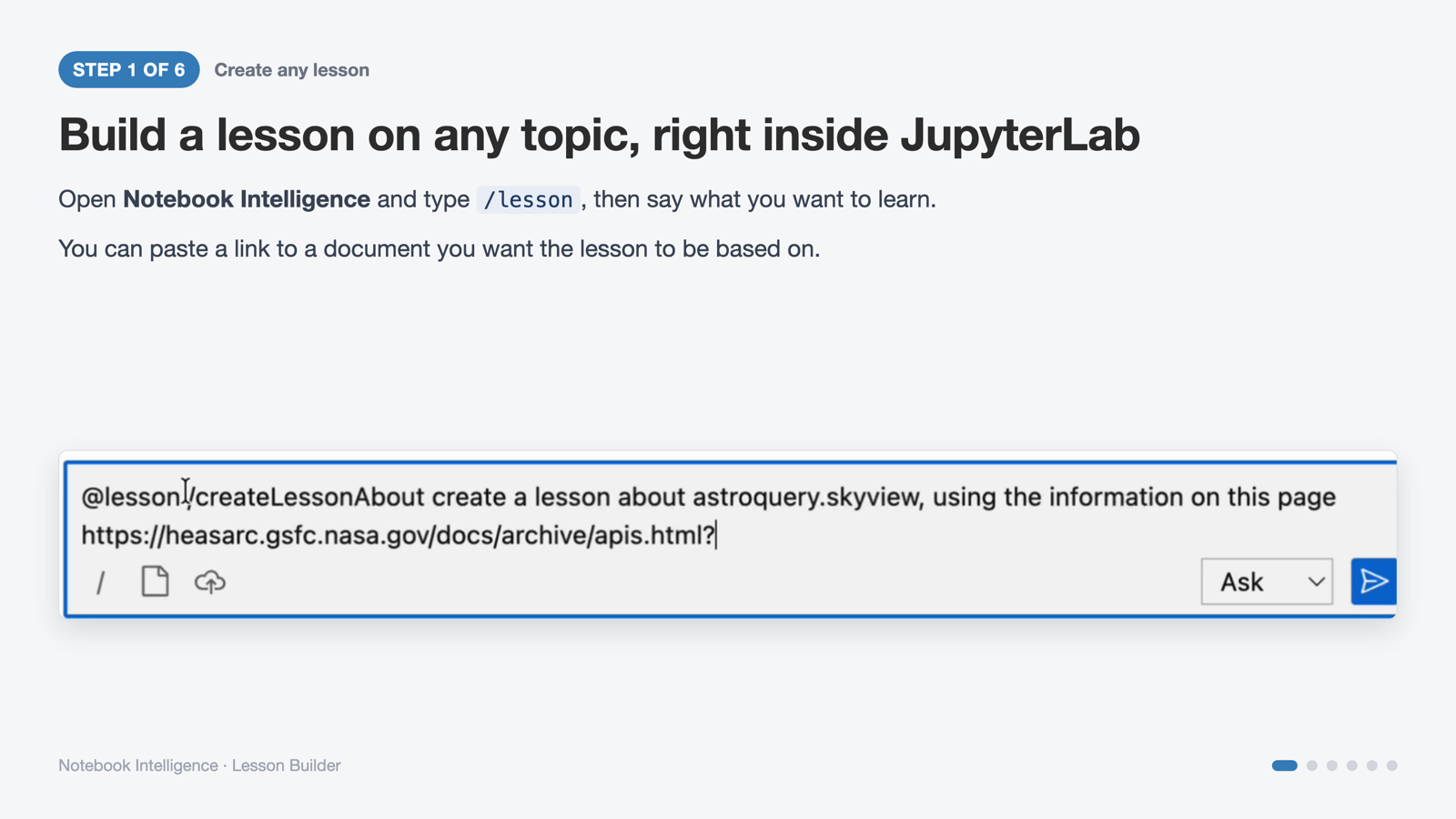
Step 1: the /lesson command with a topic and a source link.
...
- Give a URL and the lesson is built from that page, and the page is cited.
- No link? The assistant searches online and picks sources for you.
- It works with documentation pages, API references, papers and tutorials.
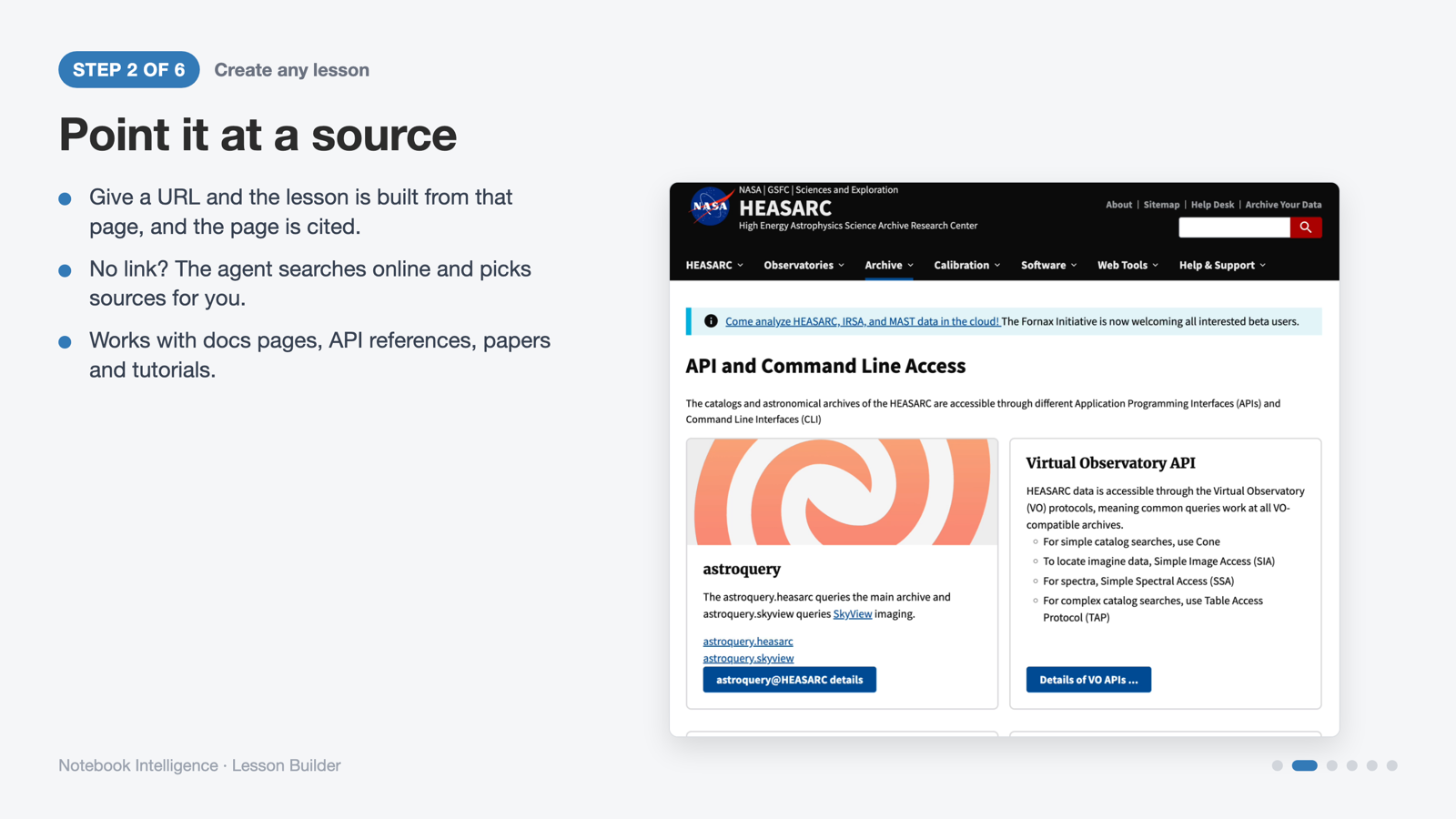
Step 2: a documentation page used as the source.
...
The Lesson Builder asks three things before it writes anything:
| Question | Your choices |
|---|---|
| Where to save the lesson | A new folder in your files, or inside an existing one |
| How you learn | Explain first, example first, question first, or build along |
| How long | About 15 minutes (one notebook), 45 minutes (three), 2 hours (five), or a multi-session course |
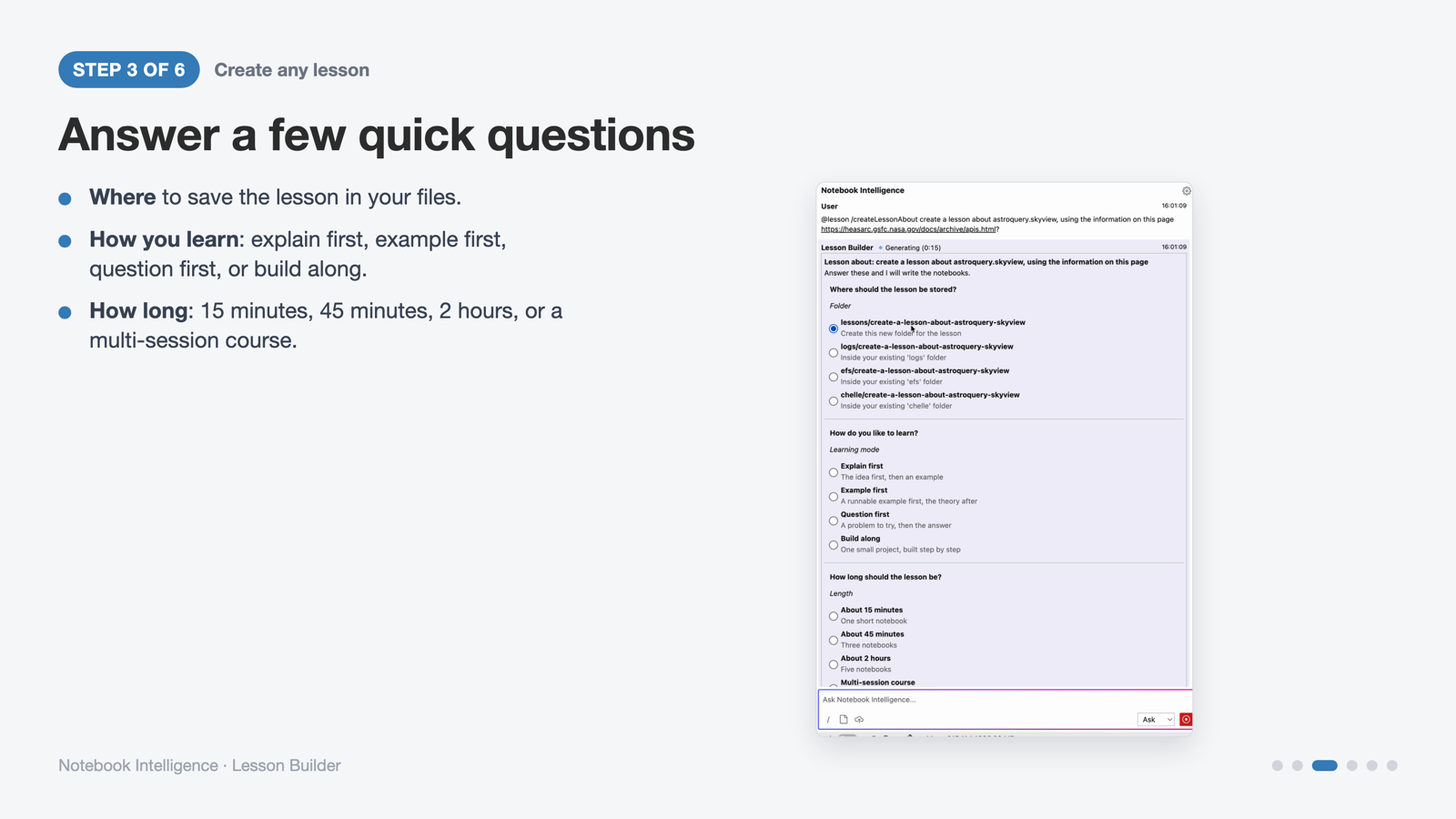
Step 3: where to save it, how you learn, how long.
Step 4 — Make it fit you
| Question | Your choices |
|---|---|
| Style | Hands-on, with runnable code and exercises; or reading only |
| Prior level | New to it, some experience, or experienced |
| Why you need it | Use it in current work, start a new project, prepare a talk or class, or curiosity |
| Which source to teach from | The link you gave, or no source (what the model already knows) |
Then click Next.
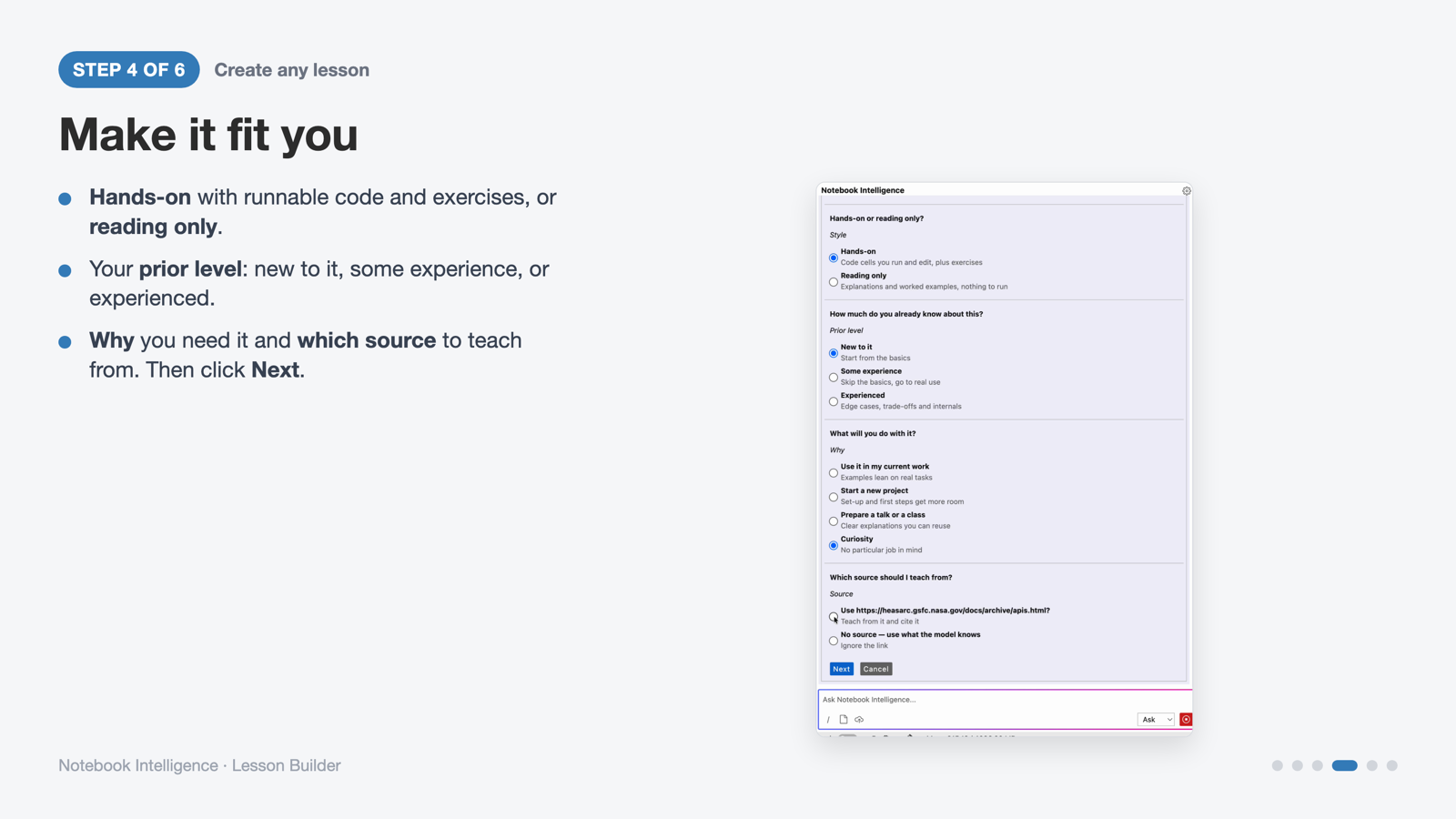
Step 4: style, prior level, purpose and source.
...
00-overview.ipynbtells you where to start.MISSION.mdrecords what you asked for.- Every notebook cites the source it was built from.
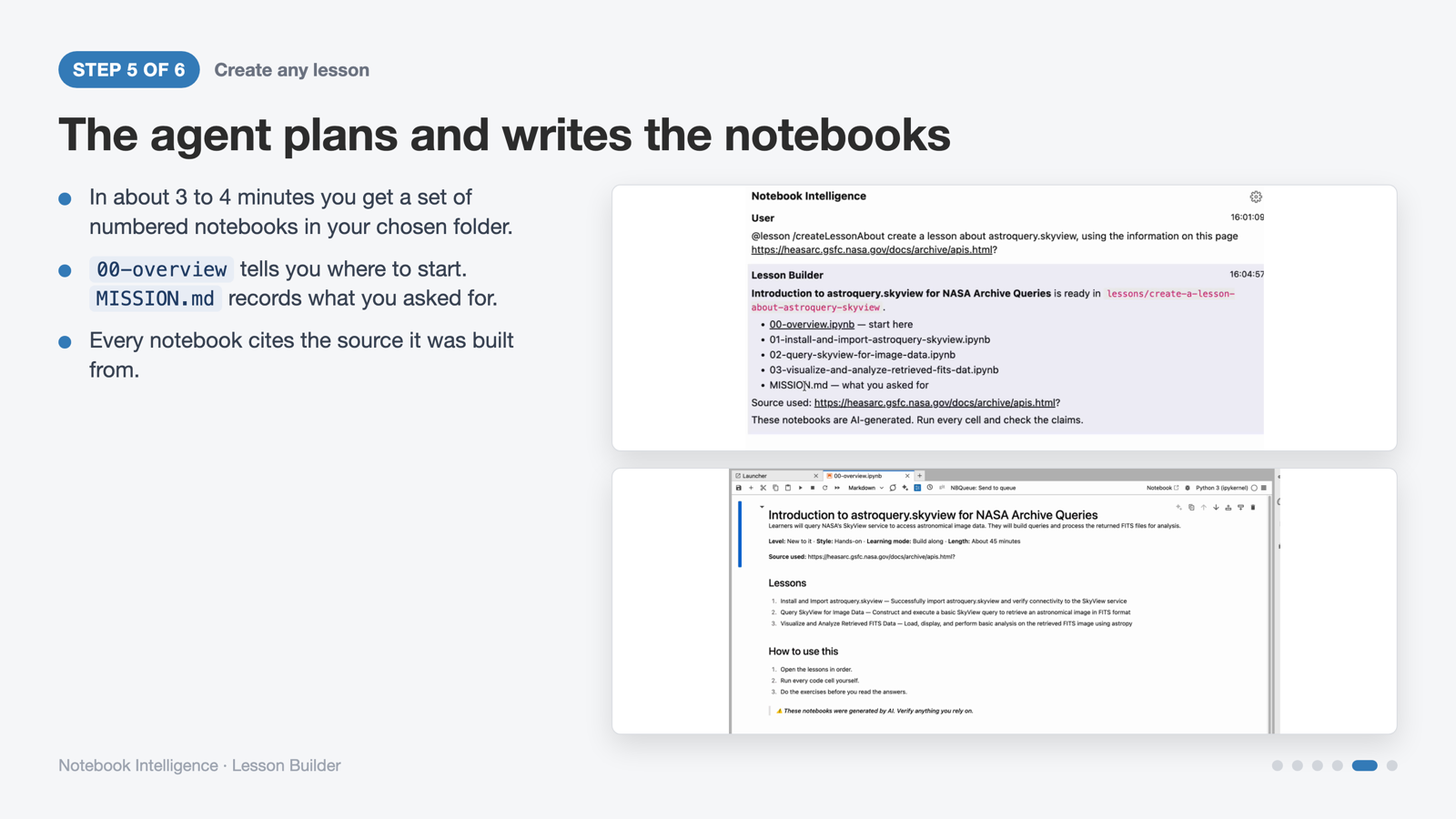
Step 5: the finished lesson folder and its overview notebook.
...
- Each notebook mixes short explanations, runnable code and Try It exercises.
- Run every cell, fill in the exercises, and check the results yourself.
- Want more depth or a different style? Ask for a new lesson any time.
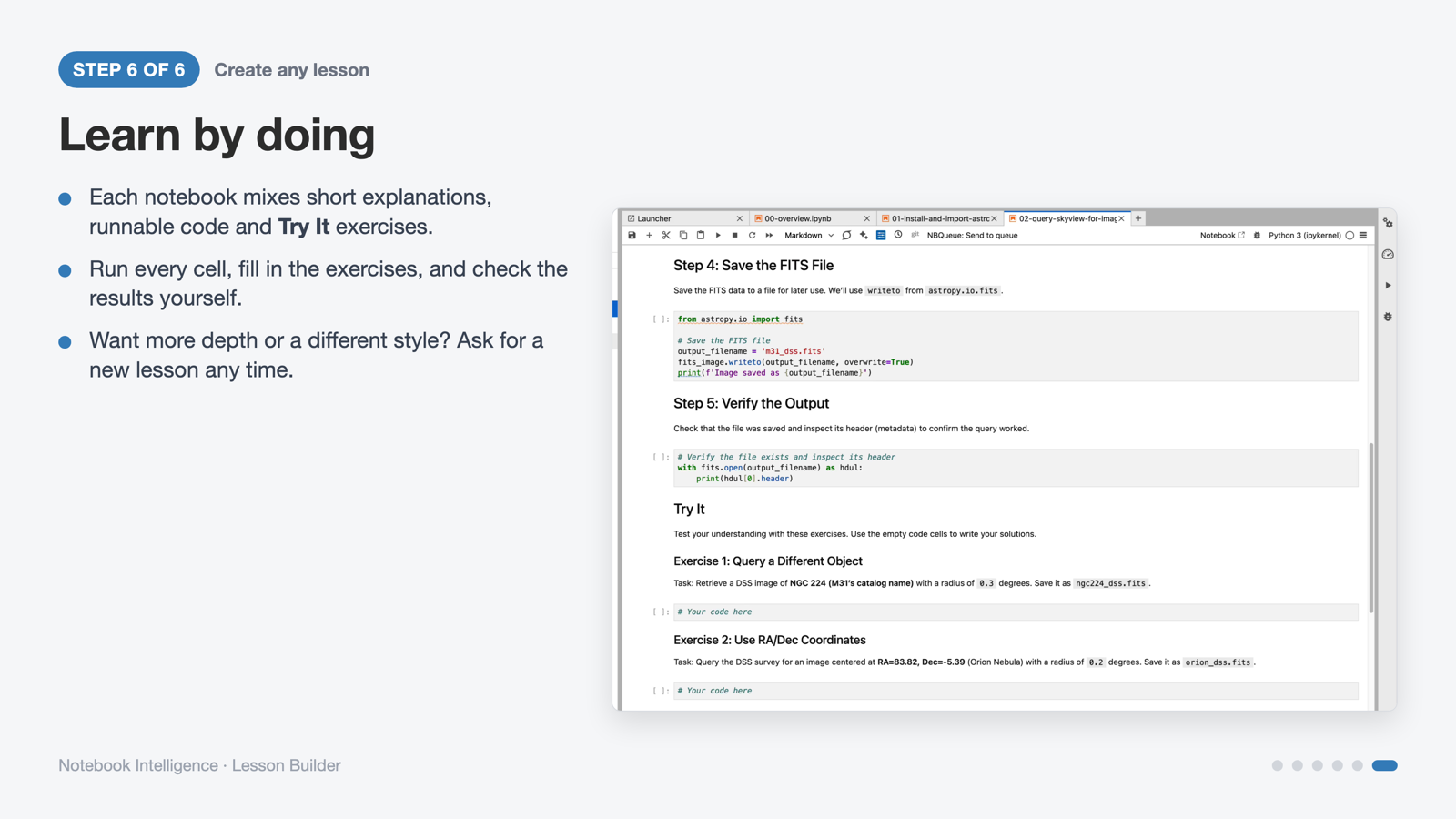
Step 6: a lesson notebook with a worked step and Try It exercises.
Good to know
| Info |
|---|
These notebooks are AISI-generated. Run every cell and check the claims against the cited source before you rely on them. The overview notebook says this too. |
...